Many brands focus on traffic but overlook basic setup. To start recruiting affiliates on PartnerShare, complete the following steps:
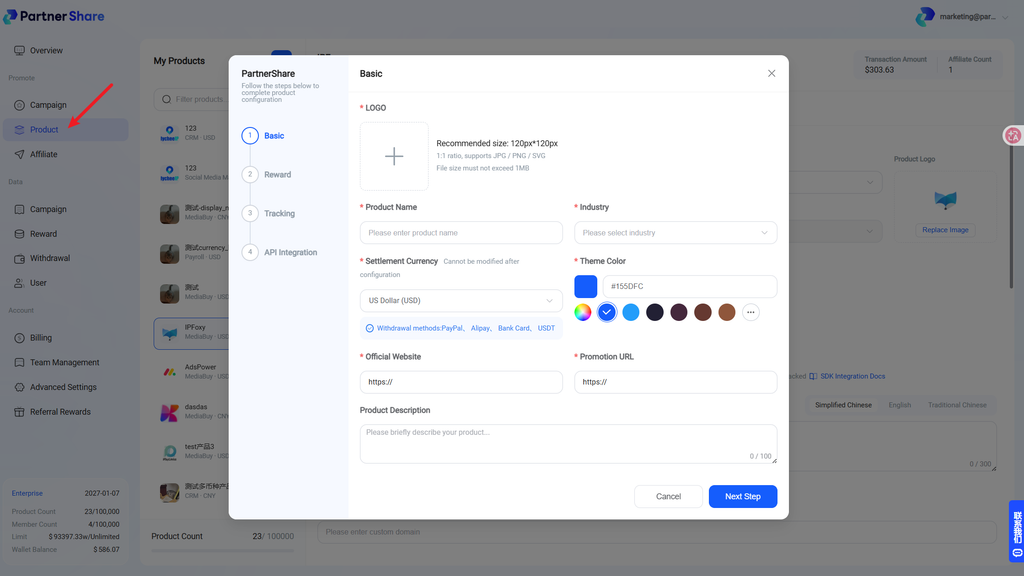
1. Create Your Product
Provide your product name, website, description and promotion details. Make sure the information is accurate and complete, so affiliates can quickly understand your offer. A default affiliate campaign is created automatically.
2. Complete your affiliate campaign
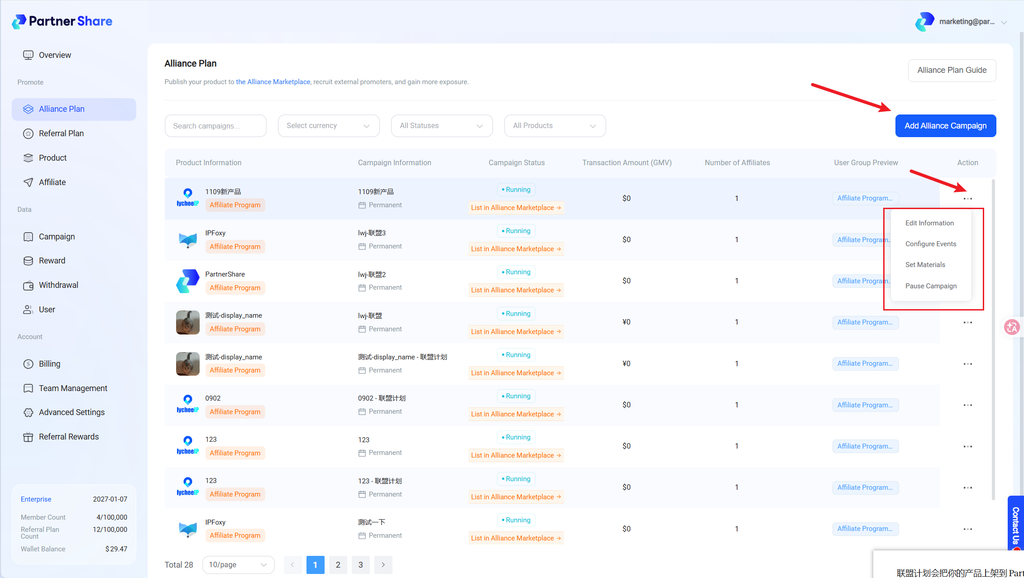
In the “Product created” pop-up, click List on the Affiliate card, or go to Affiliate Program in the left menu. Set the settlement events and materials. You can add more campaigns for the same product anytime.
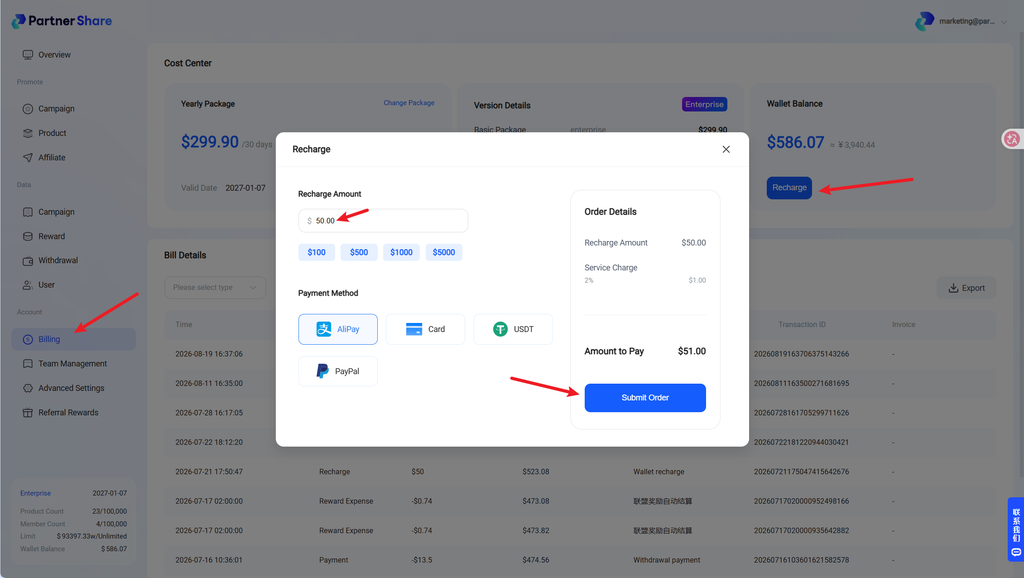
3. Deposit $50 into Your Account
Deposit at least $50. This is the initial reward budget for affiliates who promote your product. A sufficient balance ensures rewards can be paid on time.
4. Submit for listing
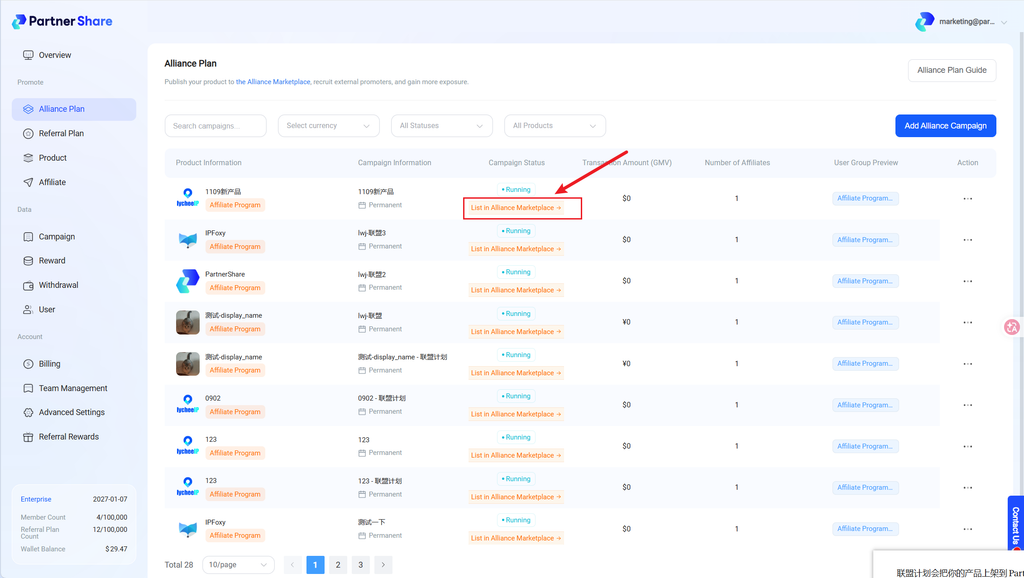
Click List on Affiliate Marketplace → in the campaign list, or contact our business team. We’ll review your campaign and list it on the PartnerShare Affiliate Marketplace, where affiliates can discover it and apply.