Affiliate campaigns list your product on the PartnerShare Affiliate Marketplace, so external affiliates can discover and promote it. Available on all plans, with no limit on the number of campaigns. One product can have multiple affiliate campaigns, for example for different landing pages, reward rules or limited-time offers.
1. Default campaign
When you create a product, a default affiliate campaign is created automatically with the status Pending.
2. Add an affiliate campaign
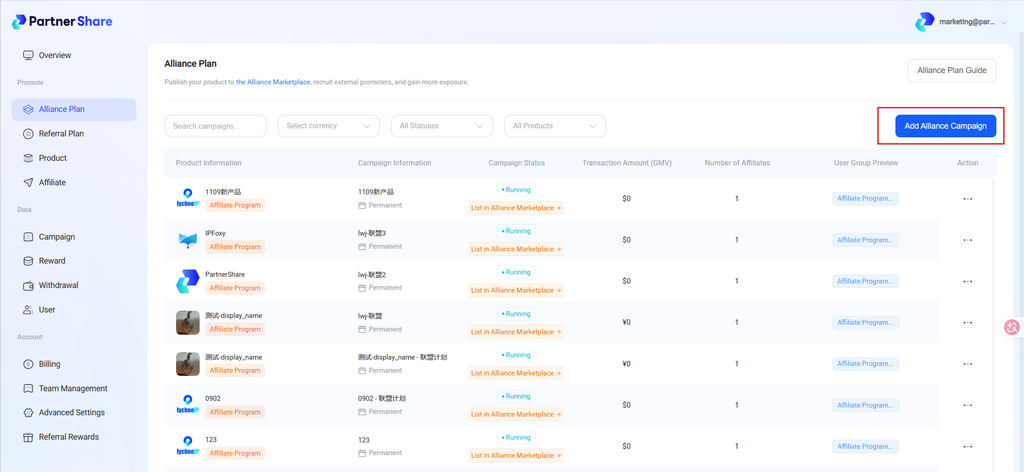
Go to Affiliate Program in the left menu and click Add Affiliate Program:
- Basic info: enter the campaign name, select the product, and confirm the landing page
- Settlement events: select events (transaction, signup or custom) and set the reward for each user group
- Materials: select a material pack. To upload packs, go to Product Management › Materials
Click Save to finish.
Platform rule: 30-day auto-settlement (cannot be changed)
Rewards not manually reviewed within 30 days are auto-approved and paid from your account balance.
Affiliate service fee
Service fee = affiliate commission × service fee rate. The rate depends on your plan; upgrading lowers it. See the creation page for details.
3. List on the Affiliate Marketplace
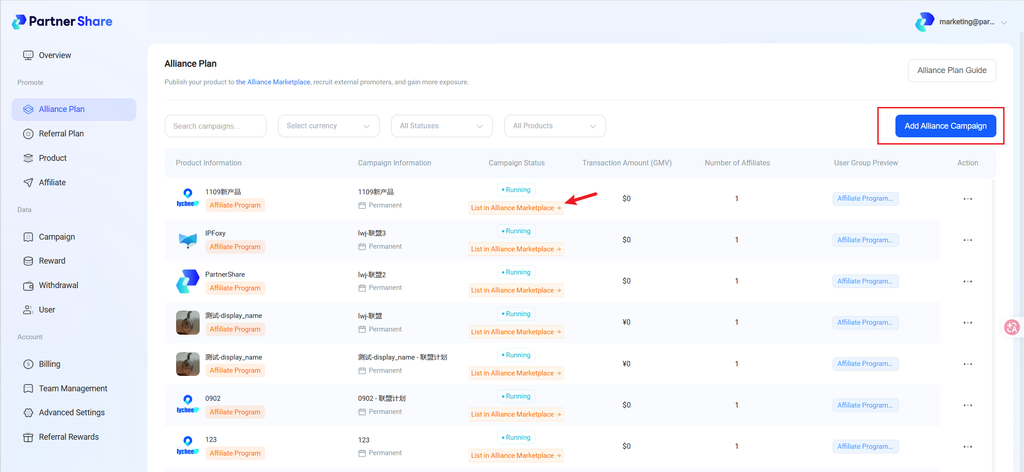
Campaigns are not listed automatically. Before listing, make sure:
- The campaign status is Active
- You have deposited at least $50 into your account
Then click List on Affiliate Marketplace → in the campaign list, or contact us via the chat at the bottom right of the page. Once approved, your campaign appears on the Marketplace.
4. Edit a campaign
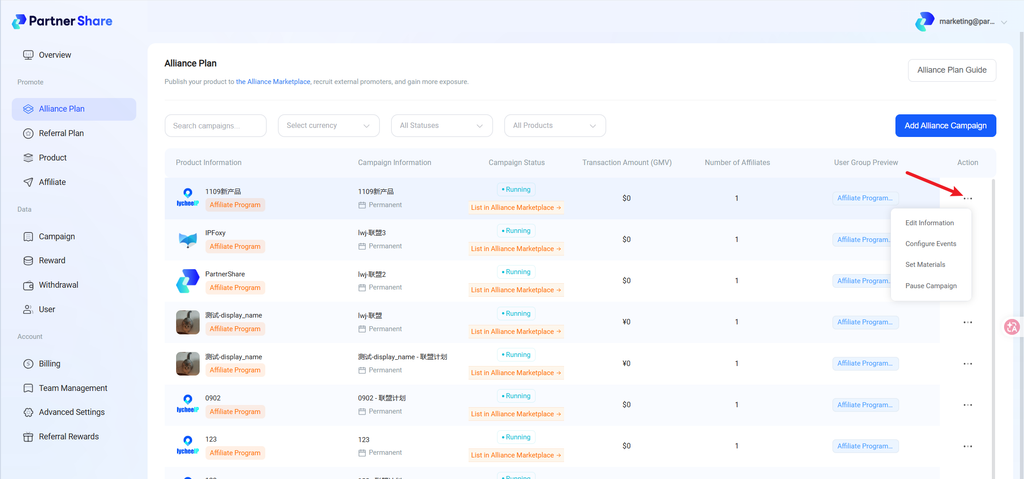
From the ··· menu on the right:
- Edit info: change the campaign name and landing page
- Configure events: adjust settlement events and user group rewards
- Set materials: change the material pack
- Unlist / End campaign: for example, unlist a limited-time campaign after it ends


