The Affiliate Management page is the central backend module for managing all promoters. Here, brand owners can view each promoter’s basic info, promotion data, and commission status in one place, and take management actions.
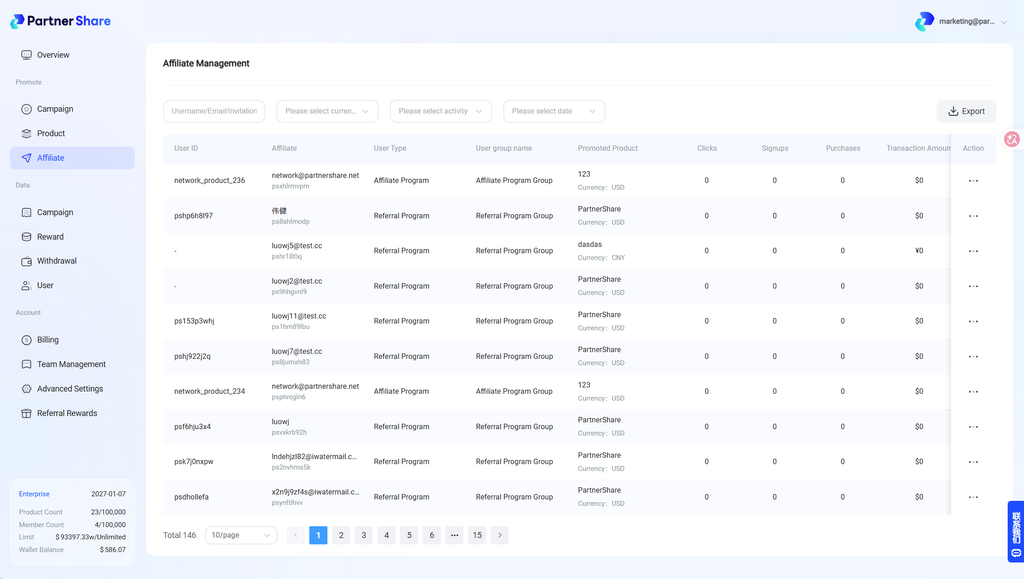
1. What information does the Affiliate Management page show?
The system displays the following core data per promoter:
- Promoter type, e.g., referral program or affiliate program
- Promotion activity generated, e.g., clicks, signups, conversions brought in
- Commission earned and unwithdrawn commission
- Promoter status
- Promoter notes
2. How do I view a single promoter’s promotion details?
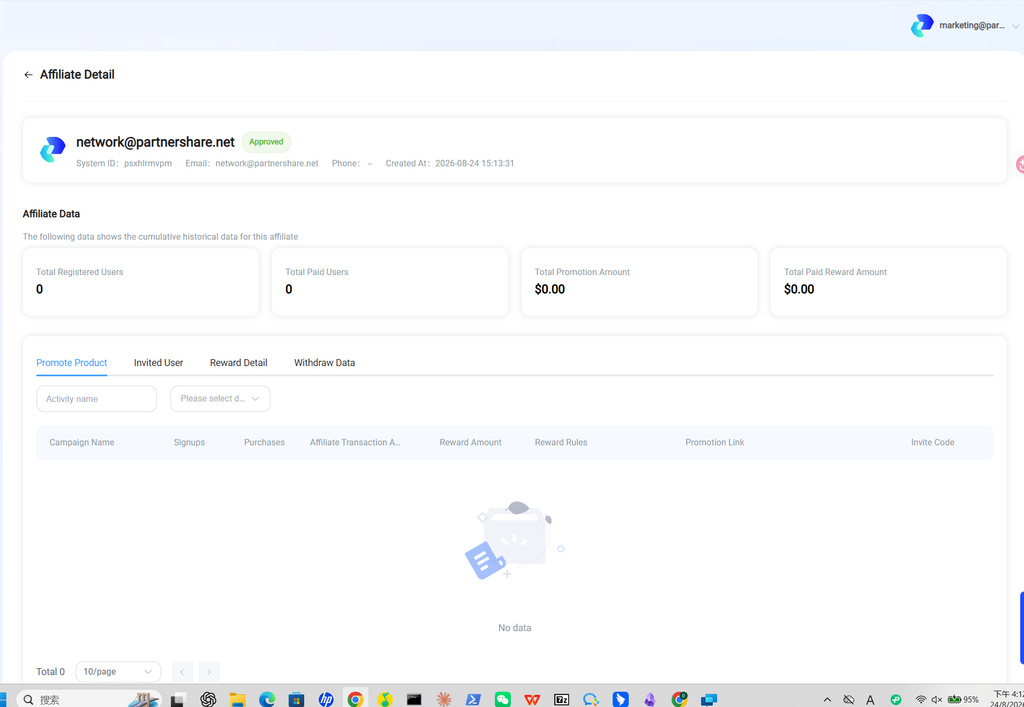
Find the promoter you want to view, click the action icon on the right, and click “Promotion Details” from the menu shown.
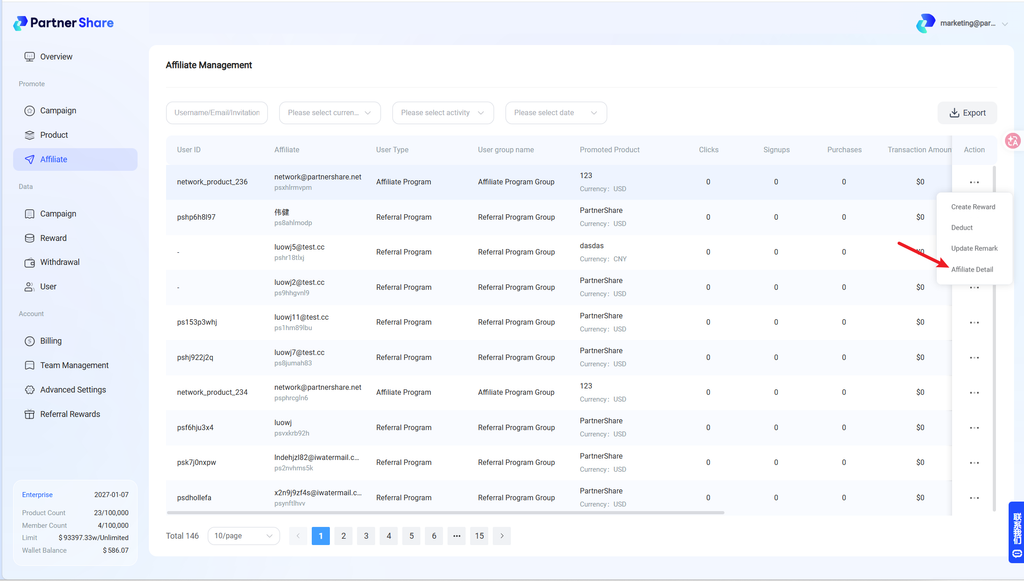
You’ll then see that promoter’s promotion data, invited users, rewards earned, withdrawal info, and more.
3. What actions are available on the Affiliate Management page?
3.1 Create a reward (issue an additional bonus to a promoter)
What it does: When a promoter performs especially well during a certain period, you can manually issue an additional one-off reward on top of standard automated settlement.
Typical use cases:
- A promoter brings in an unexpectedly high number of quality users in a short period.
- A promoter actively cooperates with official promotion efforts during a campaign (e.g., publishing a review or tutorial).
- As a milestone incentive or special campaign bonus to boost engagement among key promoters.
3.2 Deduct commission (partially deduct a promoter’s commission)
What it does: When abnormal promotion behavior is found, or commission needs correcting, you can partially deduct already-generated commission to ensure fairness and compliance in settlement.
Typical use cases:
- Promotion activity that violates campaign rules (self-referral, click fraud, fake signups, etc.)
- The referred user requests a refund or cancels an order, requiring already-settled commission to be clawed back.
- Errors discovered during settlement — over-issued or duplicate commission.
3.3 Edit notes (add management labels to a promoter)
What it does: You can add or edit notes on a promoter to flag their promotion characteristics, partnership status, or grouping — useful for ongoing operations and communication.
Typical use cases:
- Flag identities such as “core promoter / KOL / long-term partner”
- Record the promoter’s main channels (blog, community, YouTube, etc.)
- Note past communication history so team members can quickly get up to speed
3.4 View promotion details (see a promoter’s detailed performance data)
What it does: The promotion details page gives you a full view of an individual promoter’s effectiveness, including invite volume, conversion performance, and reward history.
Typical use cases:
- Analyze conversion quality across promoters to optimize resource allocation
- Use as a reference for settlement, rewards, or partnership upgrades
- Quickly identify high-potential or anomalous promoter accounts to support operational decisions


