This module is used to add/modify products.
1. Add a product
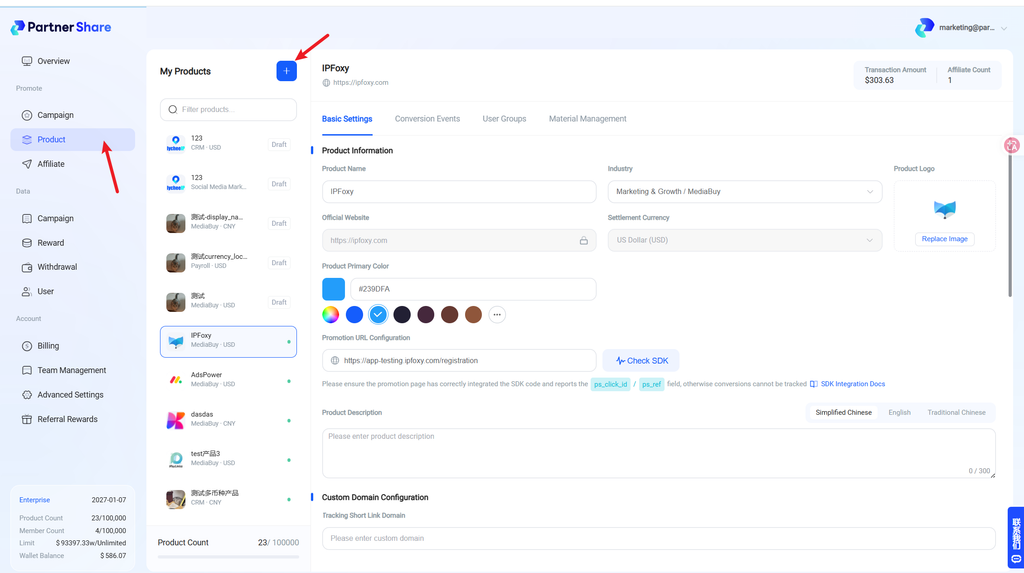
Click the “add” button at the top to add another product and create more campaigns.
Product-seat pricing varies by plan:
- Free: 1 product seat only
- Starter: Additional seats available, $100/seat/month
- Pro: Additional seats available, $80/seat/month
- Enterprise: Additional seats available, $60/seat/month
2. Basic settings
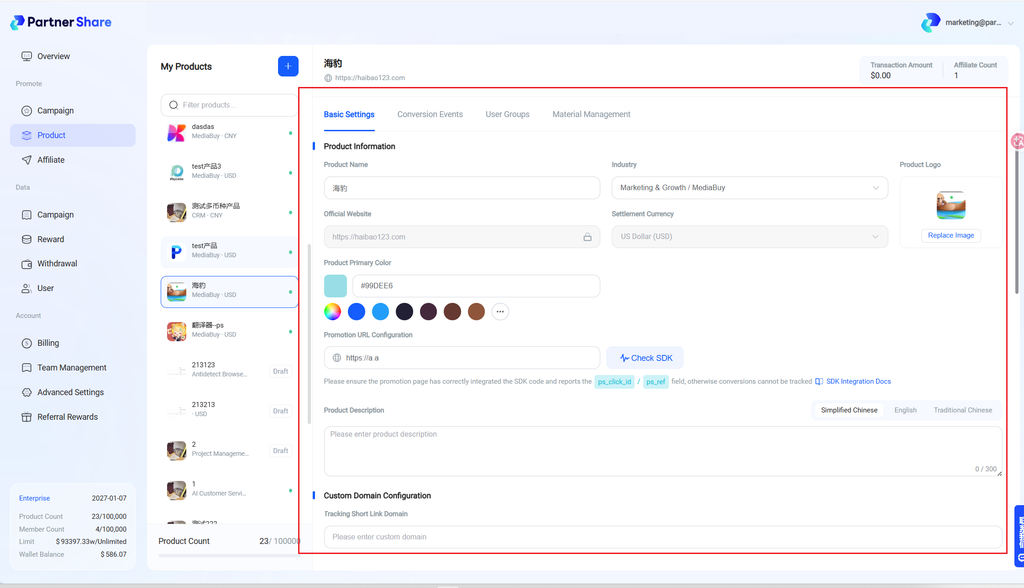
- Logo: Upload the product logo
- Product name: Enter the product name
- Industry: Select the product’s industry
- Settlement currency: Currently USD only
- Theme color: Choose a theme color — ideally matching your product for consistent embedding
- Official website: Enter your official site
- Promotion URL: The landing page visitors reach via the “referral link.” For example, if user A sees a dedicated referral link in the product like
https://www.partnershare.net/12345, thenwww.partnershare.netis the promotion URL. - Product description: Enter a description
3. Conversion events
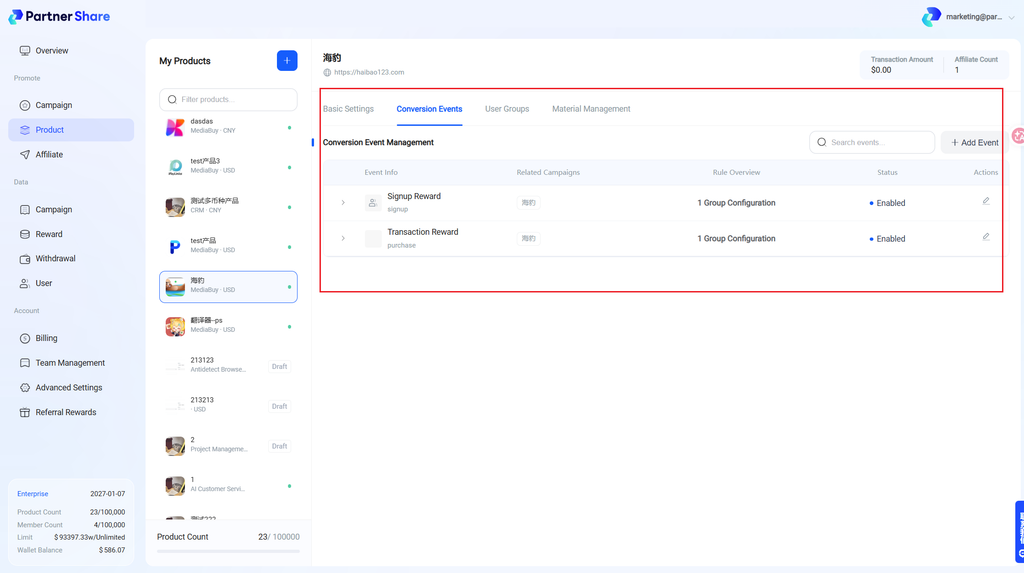
Supports adding/editing conversion events (reward rules).
4. User groups
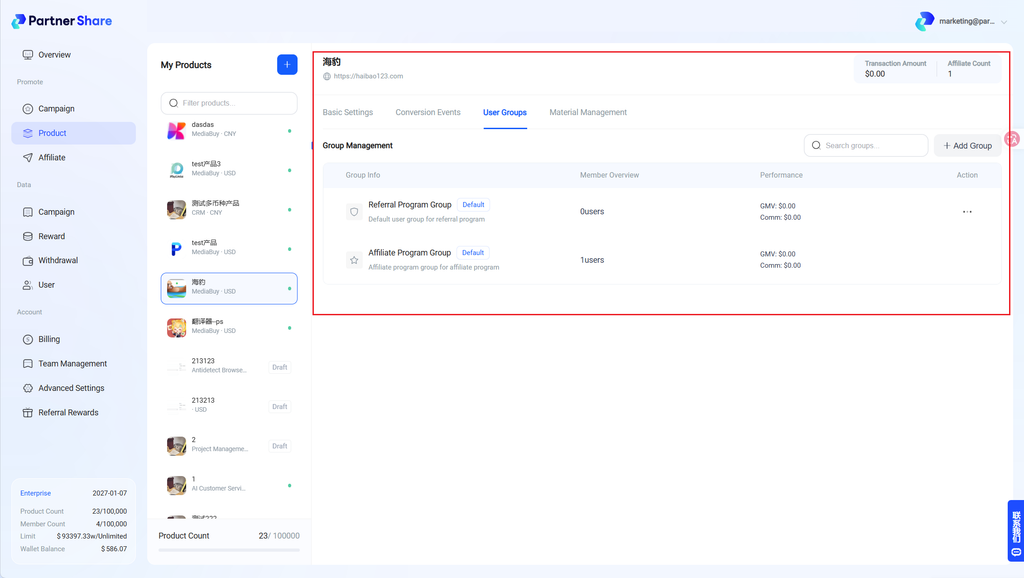
Supports adding/editing user groups, and configuring dedicated reward rules per group to improve incentive efficiency.
5. Asset management
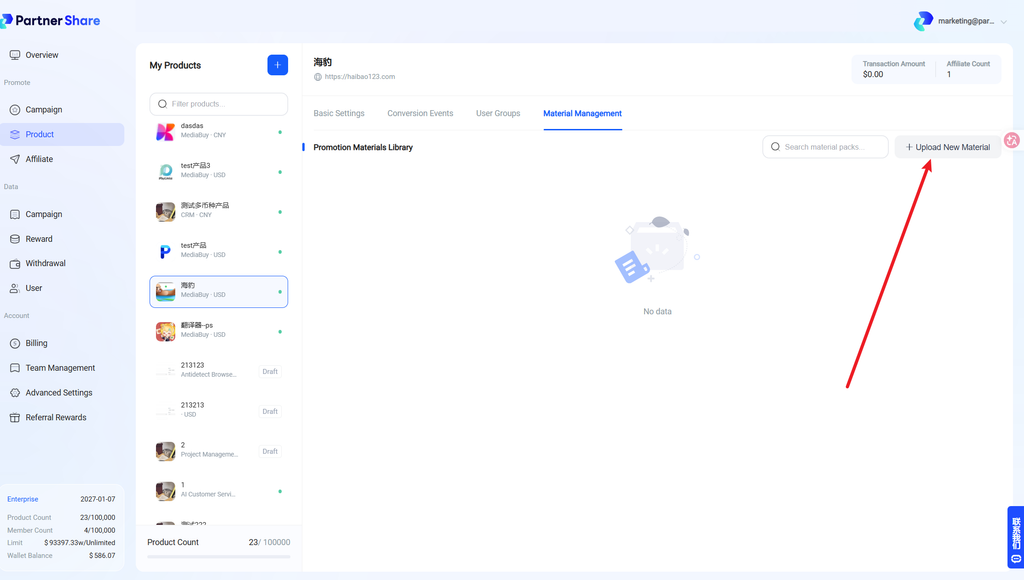
Supports adding and managing promotional assets, including web display marketing cards and click-triggered marketing popups, to keep branding consistent.
Once added, this is what promoters will see on their end.


