1. Create a product
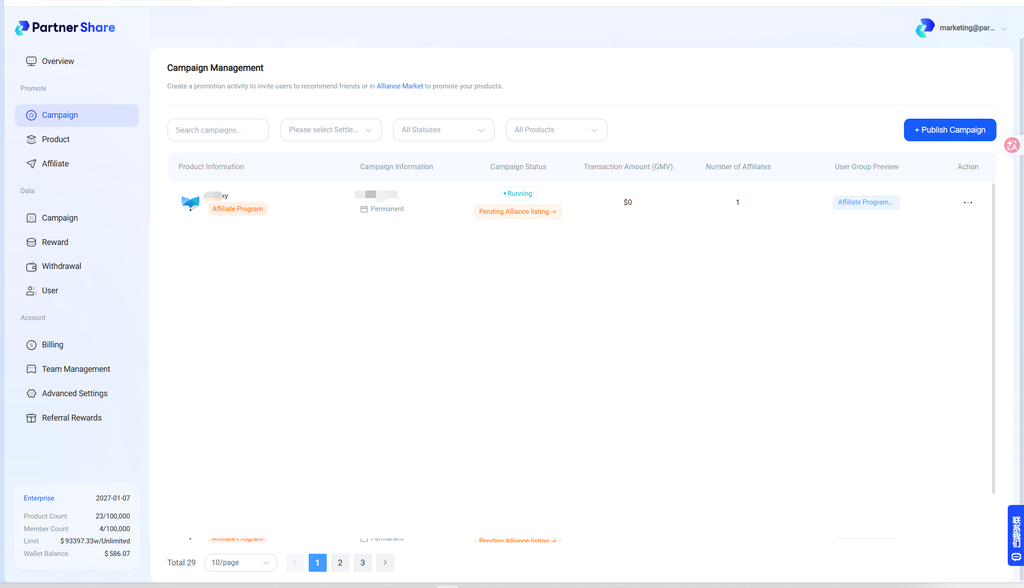
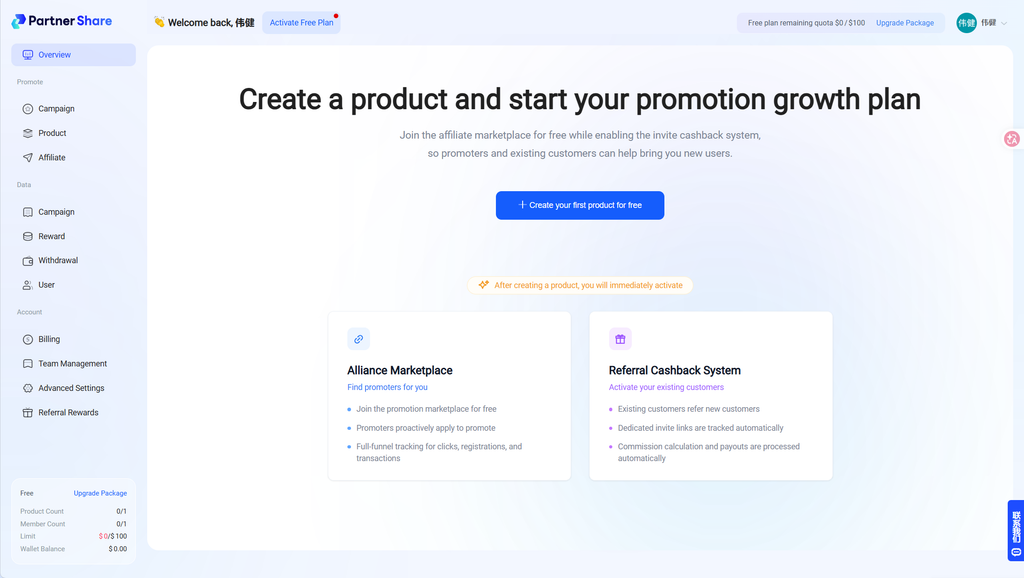
Go to the brand owner admin dashboard and click “Create your first product.”
2. Set up the product
2.1 Complete basic configuration #
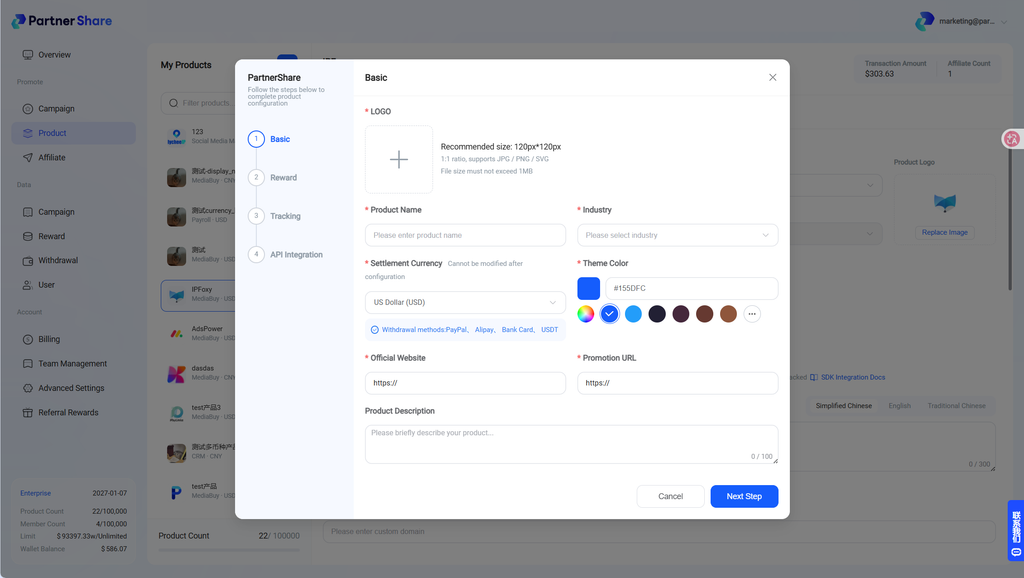
Upload the product logo, name, industry, etc., then move to the next step:
- Logo: Upload the product logo
- Product name: Enter the product name
- Industry: Select the product’s industry
- Settlement currency: Currently USD only
- Theme color: Choose a theme color — ideally matching your product for consistent embedding
- Official website: Enter your official site
- Promotion URL: The landing page visitors reach via the “referral link.” For example, if user A sees a dedicated referral link in the product like
https://www.partnershare.net/12345, thenwww.partnershare.netis the promotion URL. - Product description: Enter a description
2.2 Set up reward rules #
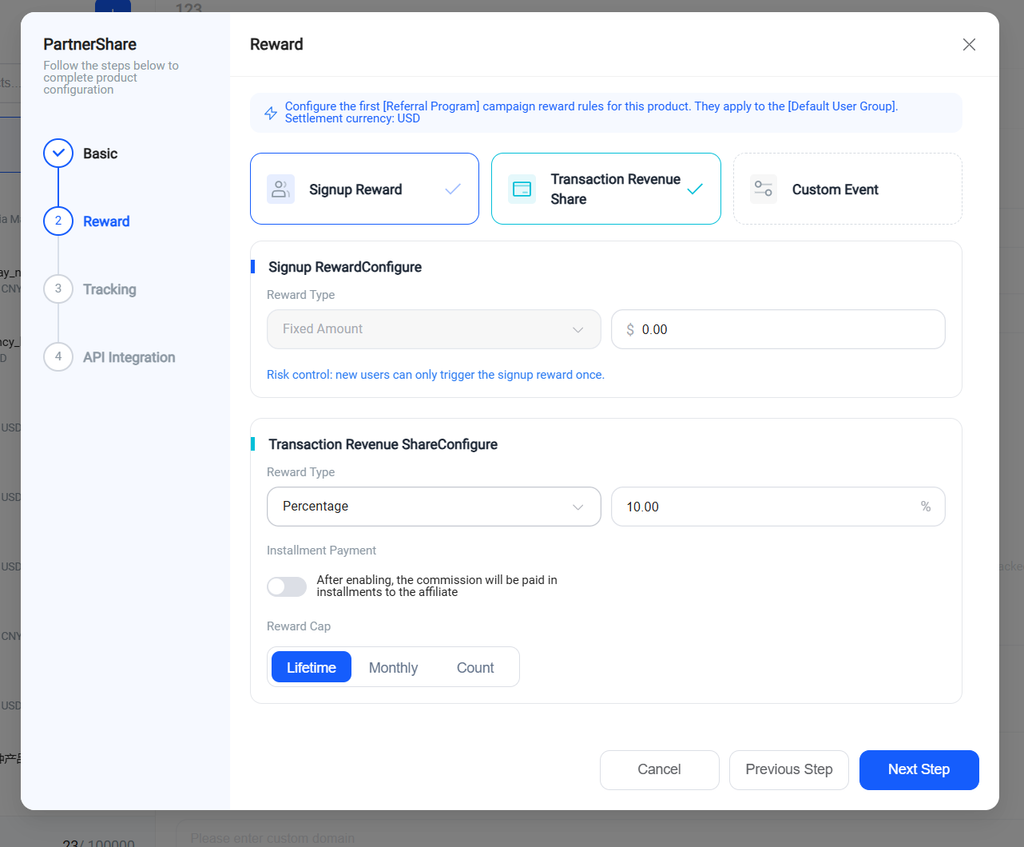
Three reward types are currently supported:
- Signup reward: The referrer earns a reward once the referred user signs up.
- Transaction share: The referrer earns a reward once the referred user signs up and pays (e.g., purchase, top-up).
- Custom event: Postback a custom event to enable personalized reward mechanics.
2.3 Set up tracking integration #
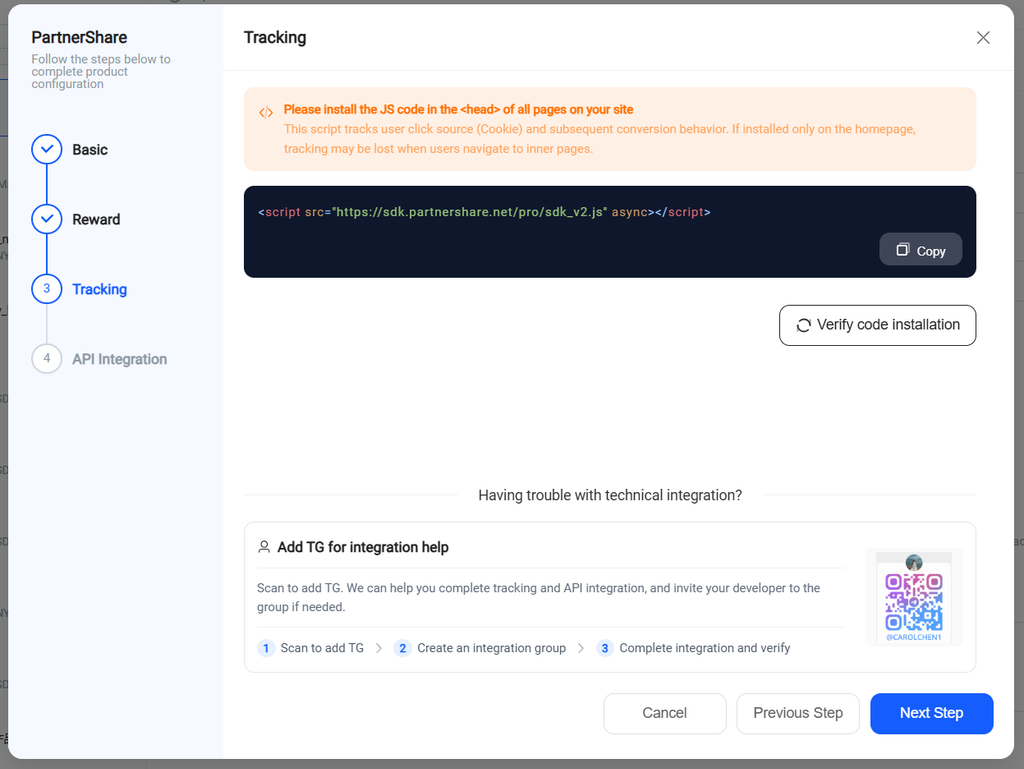
- Place the tracking snippet in the
<header>of the HTML page used for promotion. It will automatically track visitors arriving via the referral link and report click events.- When a visitor opens your site via a referral link, the tracking script automatically reports a click event for your site.
- It also automatically sets two cookies on your site:
ps_click_id(invited-user click ID): a unique visitor ID generated by an algorithm when the invited person clicks the referral link.ps_ref(referral code): the referrer’s invite code.
- Click the “verify code installation” button — we’ll check whether setup succeeded.
2.4 API integration #
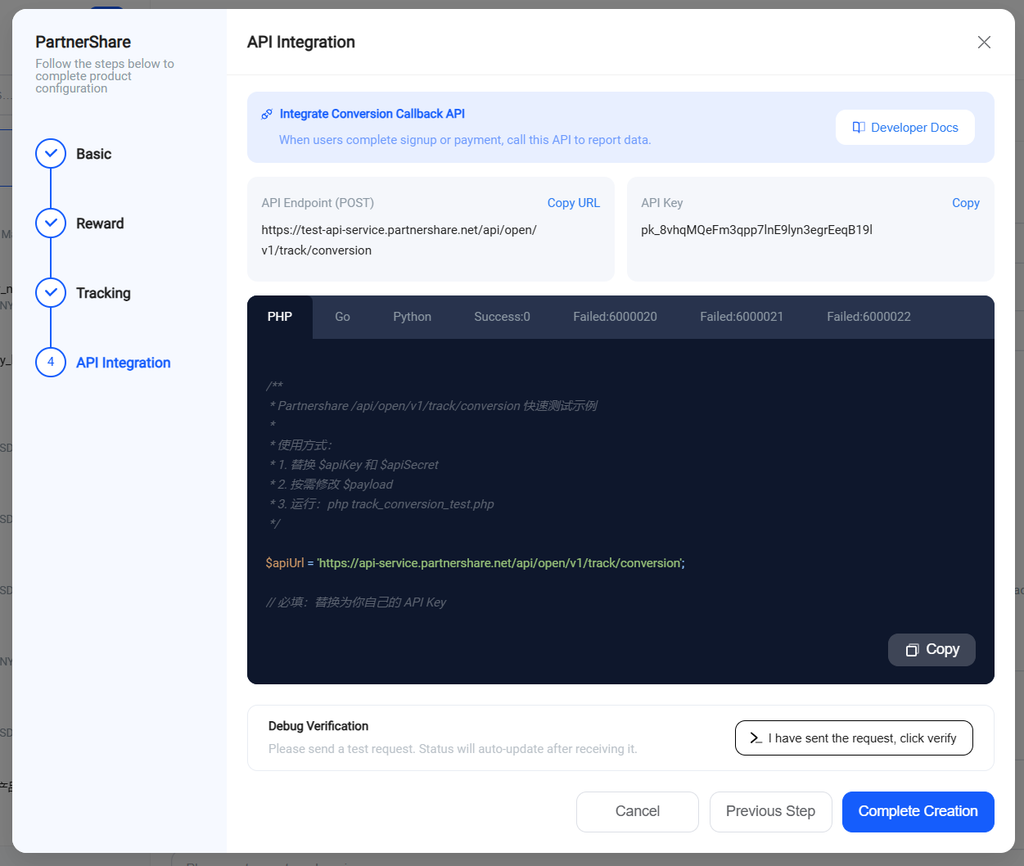
Complete the data postback per the developer documentation.
Endpoint info
- Host:
https://api-service.partnershare.net/ - Path:
POST /api/open/v1/track/conversion - Description: The brand’s system calls this endpoint to report conversion events (signup, payment, etc.)
- Auth: API Key + API Secret + signature. See how API authentication works
Request parameters
Attribution parameters (choose one)
| Parameter | Type | Required | Description |
|---|---|---|---|
click_id | string | Conditionally required | The invited user’s click ID; PartnerShare links this ID to the specific promotion channel and partner |
invite_code | string | Conditionally required | The referrer’s invite code |
Notes:
click_id: This is theps_click_idobtained viainvite_code: This is theps_refobtained via the same step- Depending on the campaign, pass just one of these
Event type parameters (choose one)
| Parameter | Type | Required | Description |
|---|---|---|---|
event_type | integer | Conditionally required | Event type: 1 = signup, 2 = payment, 3 = custom event |
event_name | string | Conditionally required | Event name: signup, purchase, or a custom name |
Note: pass just one of these depending on the campaign.
User info parameters
| Parameter | Type | Required | Description |
|---|---|---|---|
invited_user_id | string | Conditionally required | The invited user’s ID (in the brand’s own system) |
invited_user_name | string | No | The invited user’s display name |
Notes:
- For signup events:
invited_user_idis required. - For payment/custom events: if
click_idis provided,invited_user_idcan be omitted — the system will sync user info from the signup event.
Transaction parameters (for payment events)
| Parameter | Type | Required | Description |
|---|---|---|---|
transaction_id | string | No | Transaction ID (used for de-duplication and traceability) |
conversion_value | string/float | Conditionally required | Conversion value (order amount); required for percentage-based rewards |
currency | string | No | Currency code (default: USD) |
transaction_cycle_count | integer | No | Number of billing cycles (for installment rewards, e.g., 12) |
Notes:
- Required if the reward rule is percentage-based.
transaction_idis strongly recommended to prevent duplicate rewards.transaction_cycle_countis used for installment rewards when a plan is set up for installments but no explicit count is configured.
Error codes
| Code | Description |
|---|---|
| 0 | Success |
| 6000000 | Business error (see message for details) |
| 401 | Auth failed (invalid API Key, wrong signature, expired timestamp, etc.) |
| 403 | IP not on the whitelist |
3. Start promoting Once testing passes, the referral program goes live.
By embedding the referral page directly into your product or website, you can avoid external redirects and let promoters complete binding, invites, and cashback all on one page — lowering friction and improving conversion.
See how to embed PartnerShare into your product