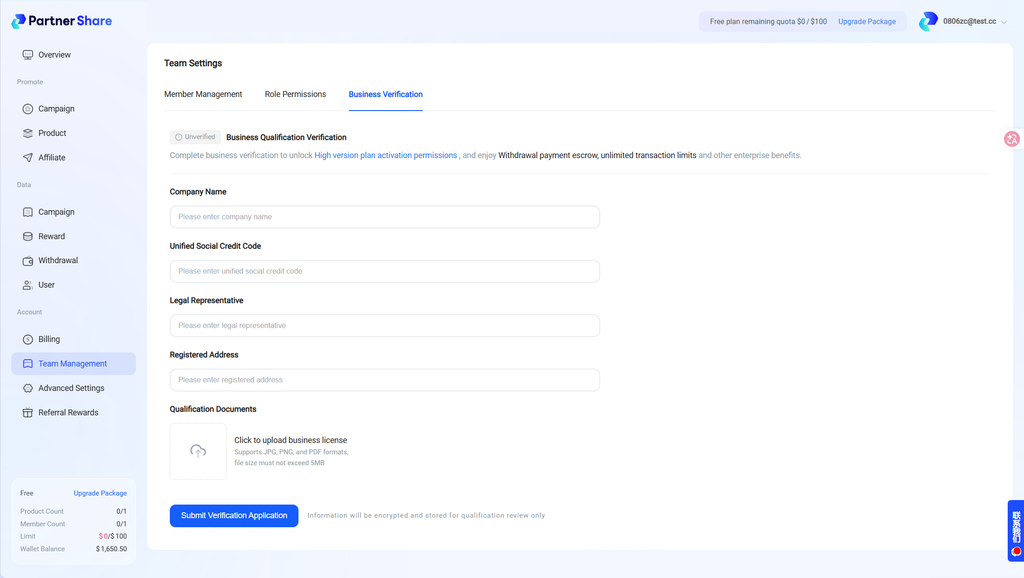

PartnerShare’s team management feature helps brand owners efficiently manage internal collaborators, flexibly assign permissions, and keep the affiliate marketing back office secure and running smoothly. This article walks you through adding team members, setting role permissions, and completing business certification.
I. Team Management
Brand owners can invite multiple team members to jointly manage affiliate campaigns and assign differentiated operating permissions to each.
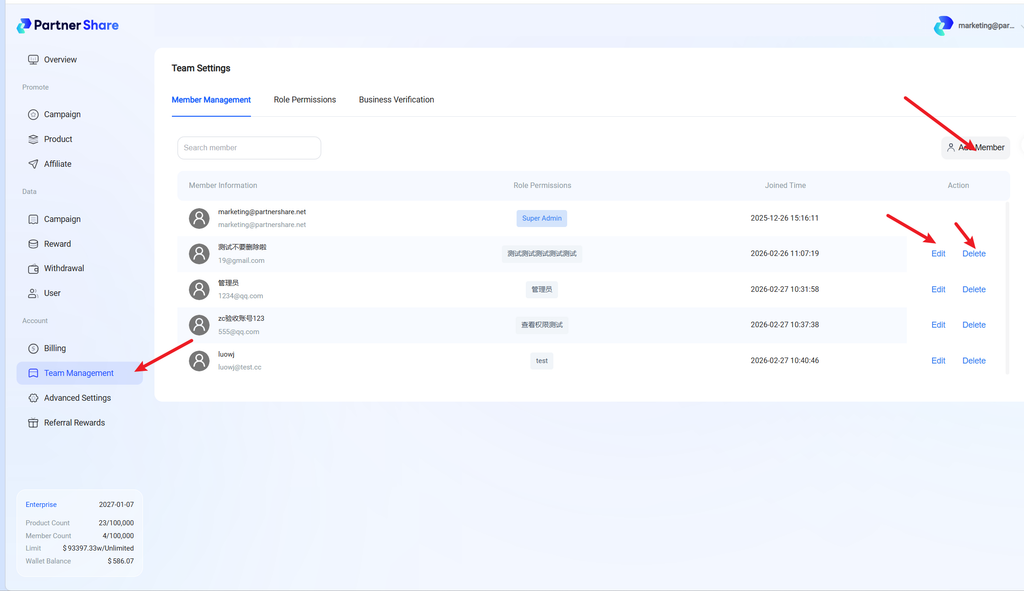
1. Member management: add/edit/remove sub-members
Brand owners can quickly add team members from the Team Management page, giving each their own login account. You can modify member info or remove sub-accounts no longer needed anytime, keeping the team structure aligned with actual business needs.
Path: Dashboard home → Team Management → Member Management
Notes:
- Each sub-member has independent login credentials.
- The super admin (account creator) has the highest permission level, and this role cannot be modified or removed.
- Simplifies inviting and managing team members without needing to share the super admin’s password.
2. Role & permission management
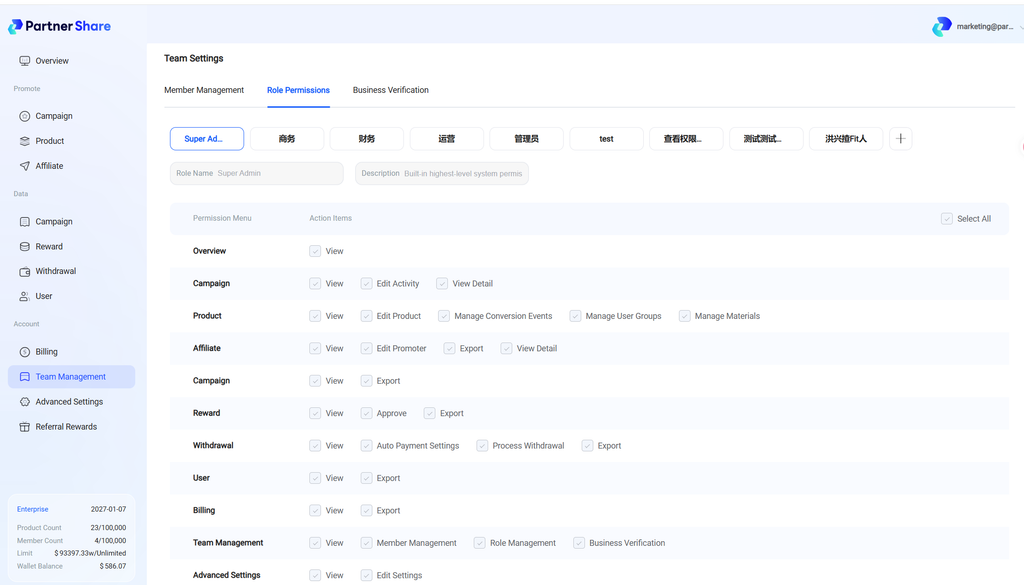
The system provides 4 preset common roles (Business, Finance, Operations, Admin), and also supports custom roles with fine-grained permission configuration per role (the super admin role cannot be modified).
Path: Dashboard home → Team Management → Roles & Permissions
Typical use cases:
- Let an operations colleague only “review promoter applications + view reports,” without letting them modify commission rules.
- Let a finance colleague only “process withdrawals + view billing,” without letting them view promoters’ contact info.
- Give a marketing director global data-viewing access without letting them perform sensitive operations.
3. Business certification
Pro and Enterprise plan users can submit company certification materials (company name, unified social credit code, business license, etc.) in the Team Management module.
Available on: Pro, Enterprise
Path: Dashboard home → Team Management → Business Certification
For more help, visit the PartnerShare Help Center or contact online support.