
1. What is commission settlement?
The process of calculating commission according to preset rules once a referrer generates a valid referral or order, and disbursing that commission to the referrer’s account.
2. When is commission generated?
How rewards are disbursed depends on the reward model configured for the campaign. PartnerShare currently supports multiple different reward rules:
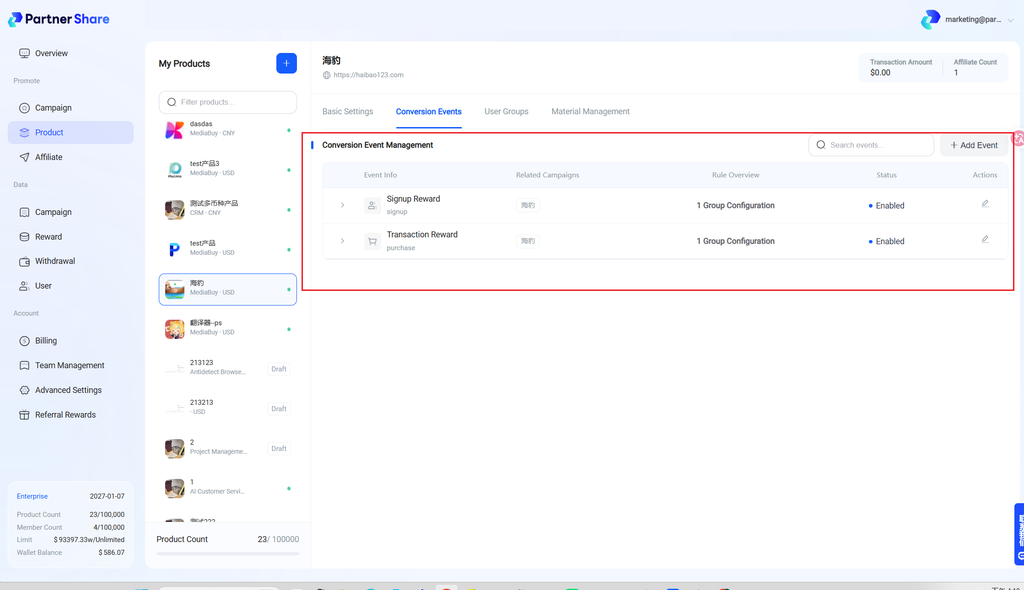
- The referred user completes registration via the dedicated link or referral code — the referrer earns commission.
- The referred user completes registration and makes a payment — the referrer earns commission.
3. How is commission settled?
3.1 Once a referrer generates a valid referral, a commission is created in their account. When they choose to withdraw it, a new record is added to the “Withdrawal Management” page in the admin dashboard.
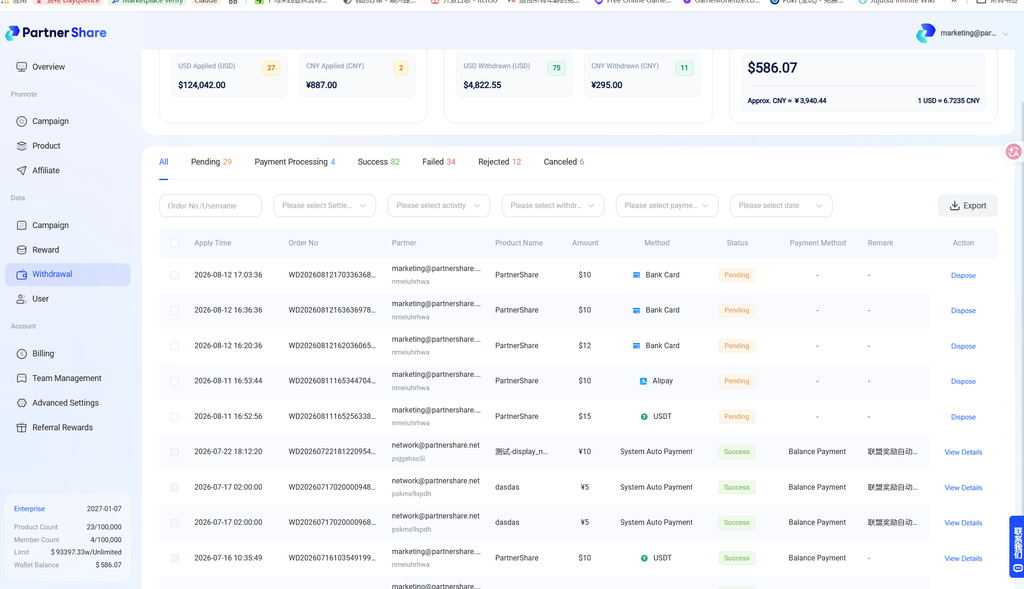
3.2 The new record defaults to “Pending” status. The brand owner needs to process this withdrawal request by clicking “Process.”
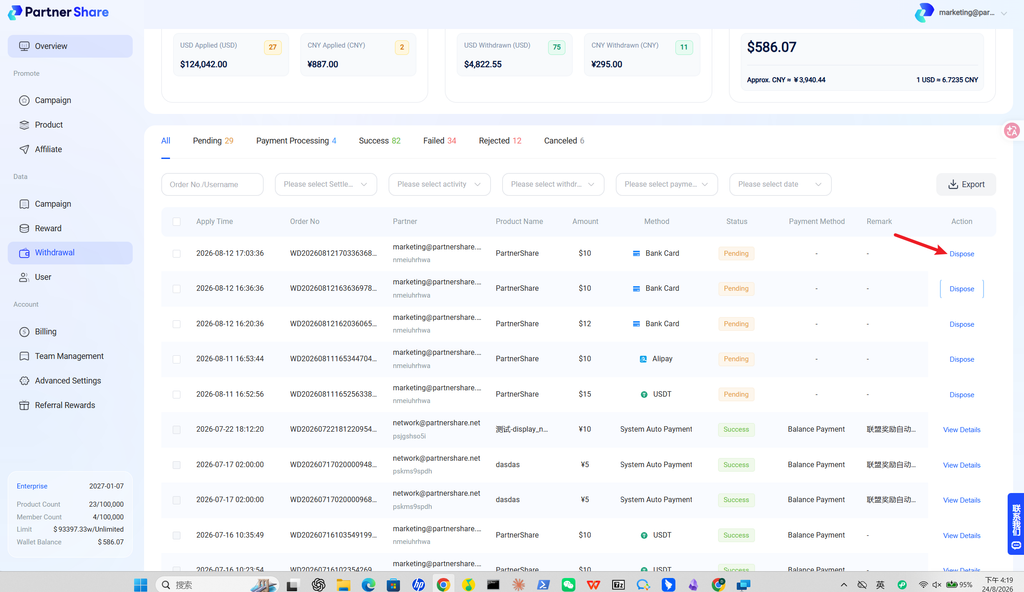
3.3 There are three ways to handle a single withdrawal request:
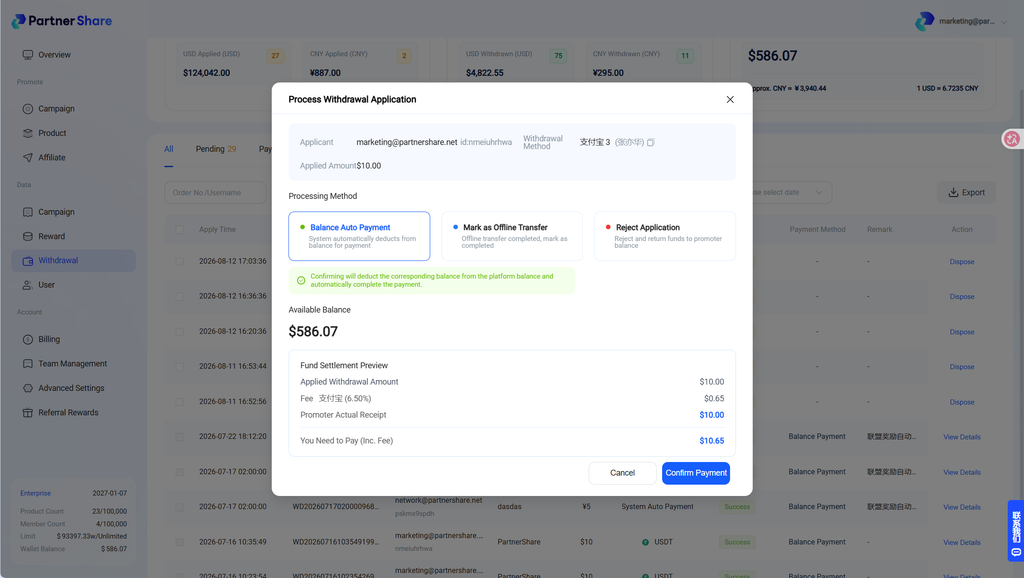
- Auto-pay from balance Pay the commission using the PartnerShare account balance (the auto-payout/escrow feature) — available on Pro and Enterprise plans.
- Mark as paid offline Settle the commission yourself offline or via a manual transfer. You can add a note and attach transfer proof at settlement time, so the referrer can confirm it.
- Reject the request Reject the withdrawal request, optionally providing a reason so the referrer understands the specific outcome.
4. Common reasons for settlement failure If commission isn’t disbursed or a withdrawal fails, possible causes include:
- Insufficient account balance
- The order hasn’t met settlement conditions
- Incomplete or incorrect withdrawal info
- System risk control or an anomaly review
We recommend checking any system messages first, and contacting platform support if needed.


