How to Create a Campaign
Follow these steps to create a new campaign in PartnerShare.

1. Enter the Basic Information
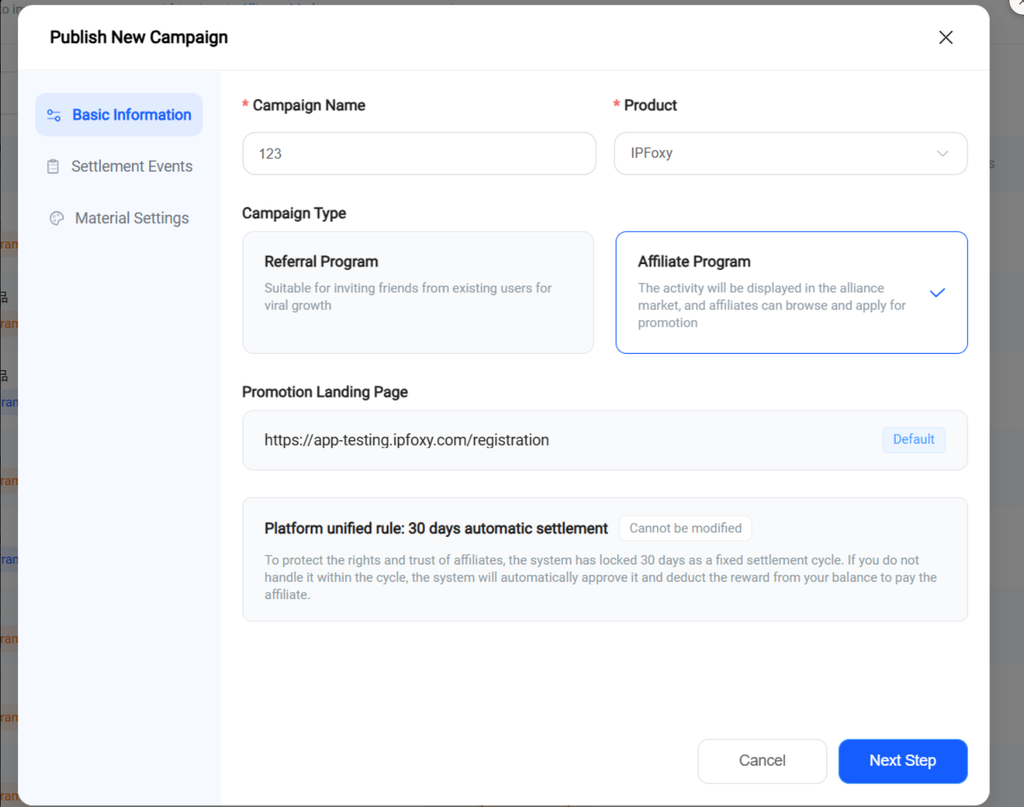
Enter a Campaign Name, select the Product associated with the campaign, and choose a Campaign Type:
- Referral Program — allows existing users to invite friends.
- Affiliate Program — lists the campaign in the Affiliate Marketplace, where affiliates can discover it and apply to promote it.
Then click Next Step.
2. Select a Commission Rule
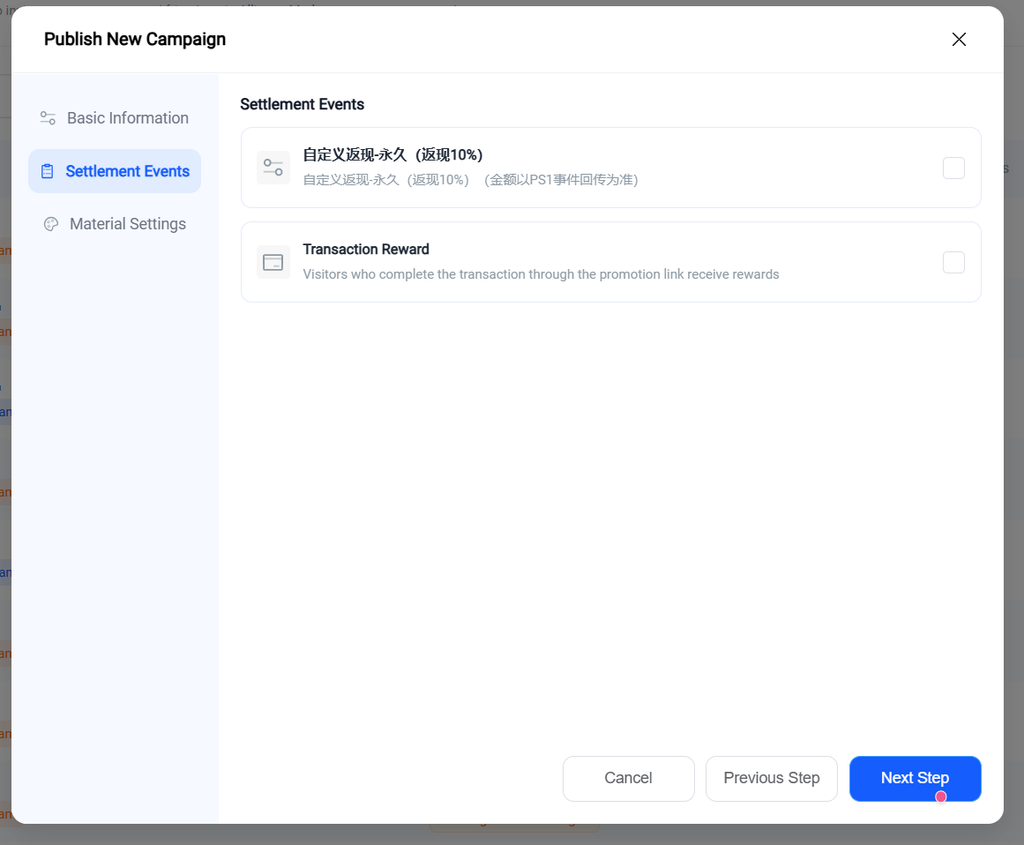
Select the commission rule you want to use for this campaign.
The available commission rules come from the product selected in the previous step and are configured when the product is created.
Then click Next Step.
3. Select a Material Pack
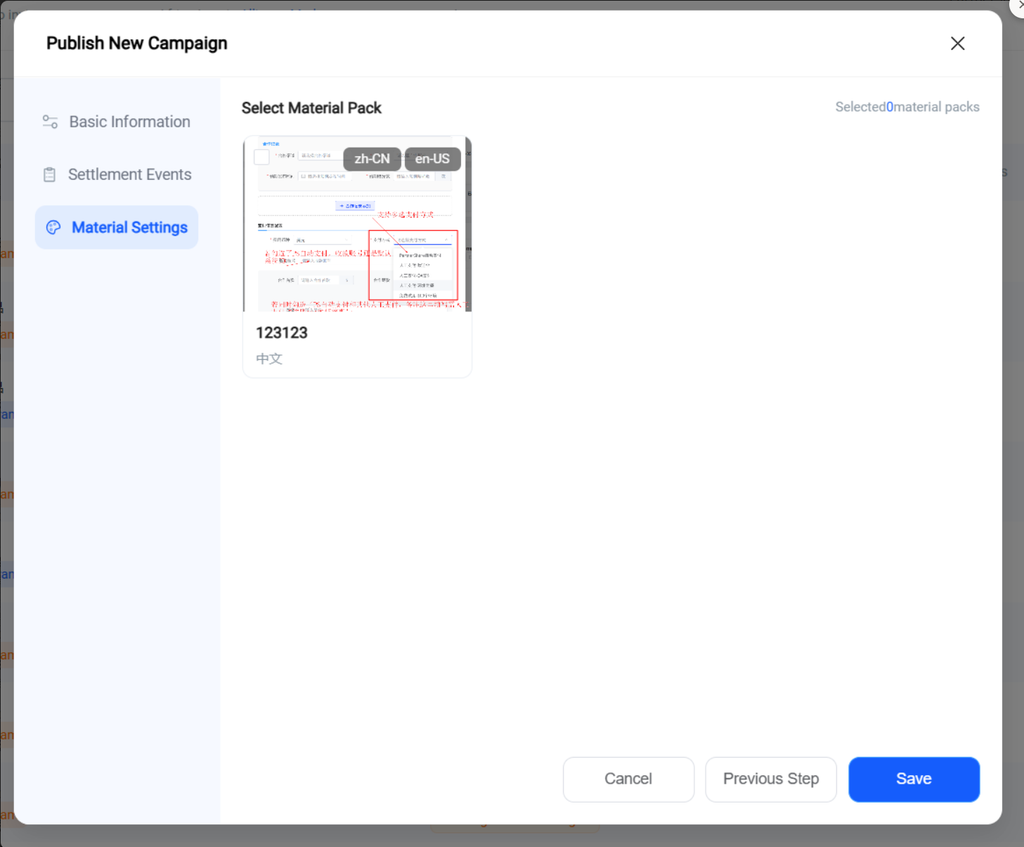
Select a material pack for affiliates to use when promoting the campaign.
The available material packs belong to the selected product and are uploaded when the product is created.
Click Save to finish creating the campaign.
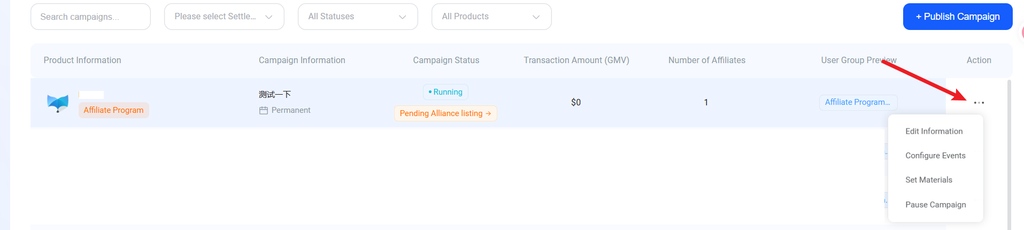
2. Edit a campaign For campaigns already created, use the action column on the right to:
- Edit info: Set basic product info
- Configure events: Set reward rules
- Set assets: Set copy, images, and other materials
- List/unlist: Turn a campaign on or off — e.g., unlisting a time-limited campaign once it ends